What It Looks Like
March 17, 2026 · Erik Reagan
When using Claude Code, it's a good idea to work on a plan before moving straight to code — especially when the AI might make assumptions you'd rather make yourself.
Plan Mode tells Claude to think rather than act. It outlines what it intends to change, where, and why — without touching your codebase until you switch back to Act Mode.
❯ /plan
  Enable plan mode or view the current session plan
Or press shift+tab to toggle before sending any message.
Most AI plans look reasonable at a glance. But they're full of small decisions you won't notice until you're staring at a diff.
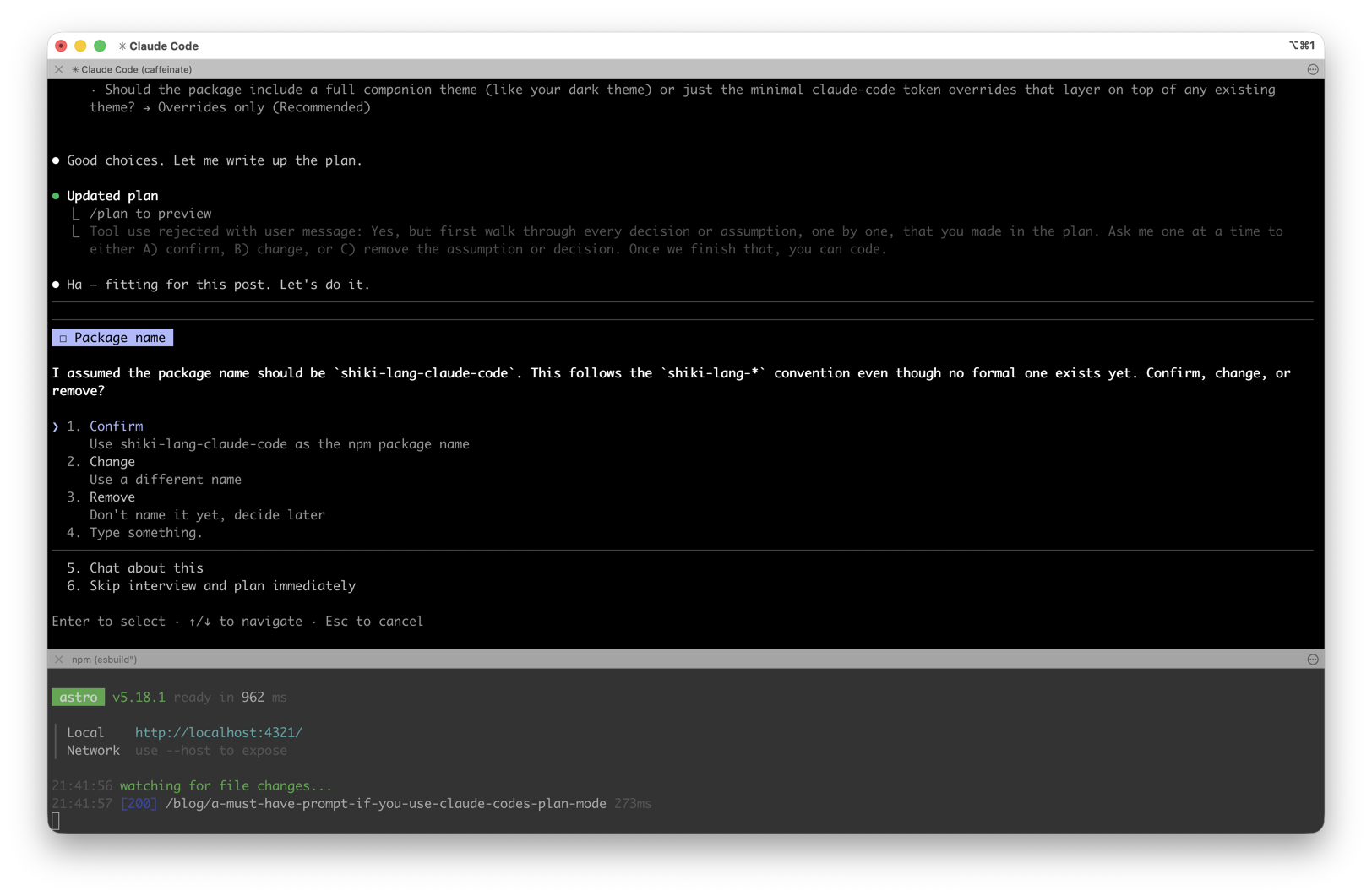
❯ Walk through every decision or assumption, one by one,
  that you made in the plan. Ask me one at a time to
  either A) confirm, B) change, or C) remove.
Claude goes back through its own plan and surfaces every choice — one at a time. You confirm, change, or remove each decision.
Sometimes Claude's assumption is better than what you had in mind. Sometimes it reveals that you hadn't thought clearly enough about what you wanted.
shift+tab or /plan)